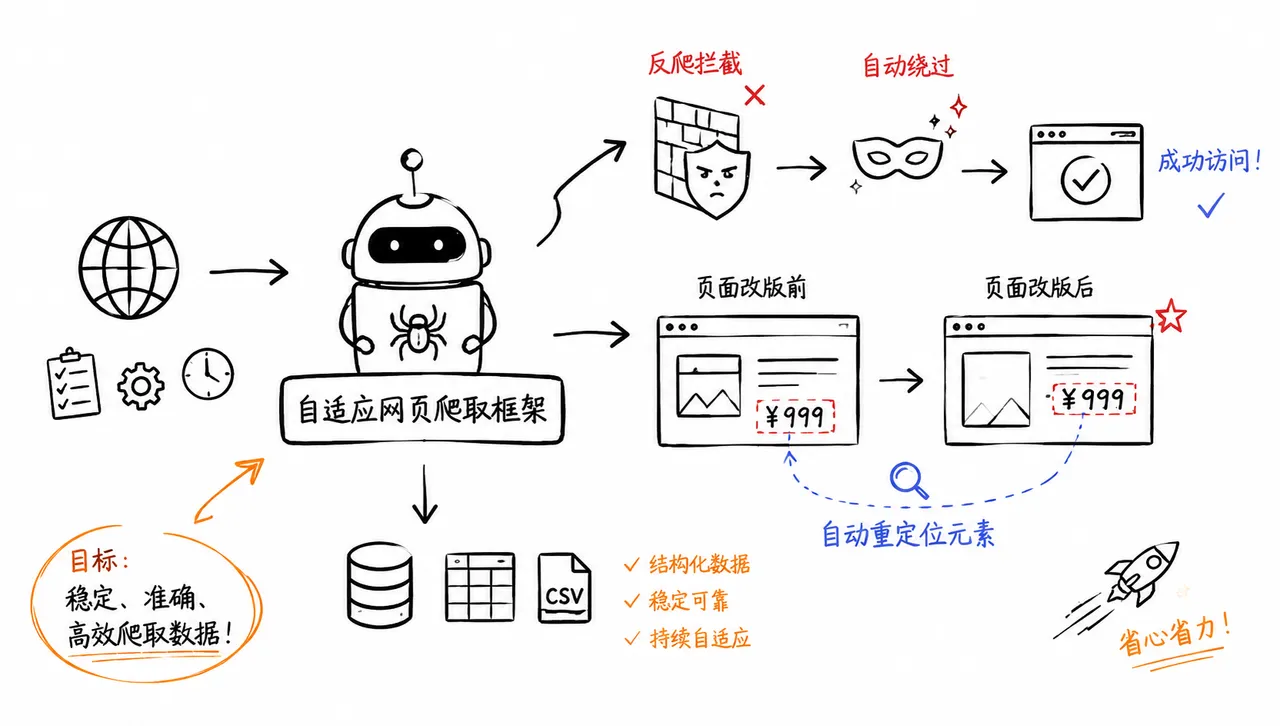
📘 完整的类型覆盖: 完整的类型提示,提供出色的 IDE 支持和代码补全。每次变更都会自动使用 PyRight 和 MyPy 扫描整个代码库。
🔋 现成的 Docker 镜像: 每次发布时,自动构建并推送包含所有浏览器的 Docker 镜像。
快速开始
让我们在不深入探讨的情况下,快速了解 Scrapling 能做什么。
基本用法
支持会话的 HTTP 请求
from scrapling.fetchers import Fetcher, FetcherSessionwith FetcherSession(impersonate='chrome') as session: # Use latest version of Chrome's TLS fingerprint page = session.get('https://quotes.toscrape.com/', stealthy_headers=True) quotes = page.css('.quote .text::text').getall()# Or use one-off requestspage = Fetcher.get('https://quotes.toscrape.com/')quotes = page.css('.quote .text::text').getall()
高级隐身模式
from scrapling.fetchers import StealthyFetcher, StealthySessionwith StealthySession(headless=True, solve_cloudflare=True) as session: # Keep the browser open until you finish page = session.fetch('https://nopecha.com/demo/cloudflare', google_search=False) data = page.css('#padded_content a').getall()# Or use one-off request style, it opens the browser for this request, then closes it after finishingpage = StealthyFetcher.fetch('https://nopecha.com/demo/cloudflare')data = page.css('#padded_content a').getall()
完整浏览器自动化
from scrapling.fetchers import DynamicFetcher, DynamicSessionwith DynamicSession(headless=True, disable_resources=False, network_idle=True) as session: # Keep the browser open until you finish page = session.fetch('https://quotes.toscrape.com/', load_dom=False) data = page.xpath('//span[@class="text"]/text()').getall() # XPath selector if you prefer it# Or use one-off request style, it opens the browser for this request, then closes it after finishingpage = DynamicFetcher.fetch('https://quotes.toscrape.com/')data = page.css('.quote .text::text').getall()
蜘蛛(Spiders)
使用并发请求、多种会话类型以及暂停/恢复功能构建完整的爬虫:
from scrapling.spiders import Spider, Request, Responseclass QuotesSpider(Spider): name = "quotes" start_urls = ["https://quotes.toscrape.com/"] concurrent_requests = 10 async def parse(self, response: Response): for quote in response.css('.quote'): yield { "text": quote.css('.text::text').get(), "author": quote.css('.author::text').get(), } next_page = response.css('.next a') if next_page: yield response.follow(next_page[0].attrib['href'])result = QuotesSpider().start()print(f"爬取了 {len(result.items)} 条名言")result.items.to_json("quotes.json")
在单个蜘蛛中使用多种会话类型:
from scrapling.spiders import Spider, Request, Responsefrom scrapling.fetchers import FetcherSession, AsyncStealthySessionclass MultiSessionSpider(Spider): name = "multi" start_urls = ["https://example.com/"] def configure_sessions(self, manager): manager.add("fast", FetcherSession(impersonate="chrome")) manager.add("stealth", AsyncStealthySession(headless=True), lazy=True) async def parse(self, response: Response): for link in response.css('a::attr(href)').getall(): # 将受保护页面路由到隐身会话 if "protected" in link: yield Request(link, sid="stealth") else: yield Request(link, sid="fast", callback=self.parse) # 显式回调
[!CAUTION]
本库仅供教育和研究目的使用。使用本库即表示您同意遵守当地和国际的数据抓取和隐私法律。作者和贡献者不对任何滥用本软件的行为负责。请始终尊重网站的 service terms 和 robots.txt 文件。
🎓 引用
如果您在研究工作中使用了我们的库,请使用以下参考文献引用我们:
  @misc{scrapling,
    author = {Karim Shoair},
    title = {Scrapling},
    year = {2024},
    url = {https://github.com/D4Vinci/Scrapling},
    note = {An adaptive Web Scraping framework that handles everything from a single request to a full-scale crawl!}
  }