
Omni 提示词
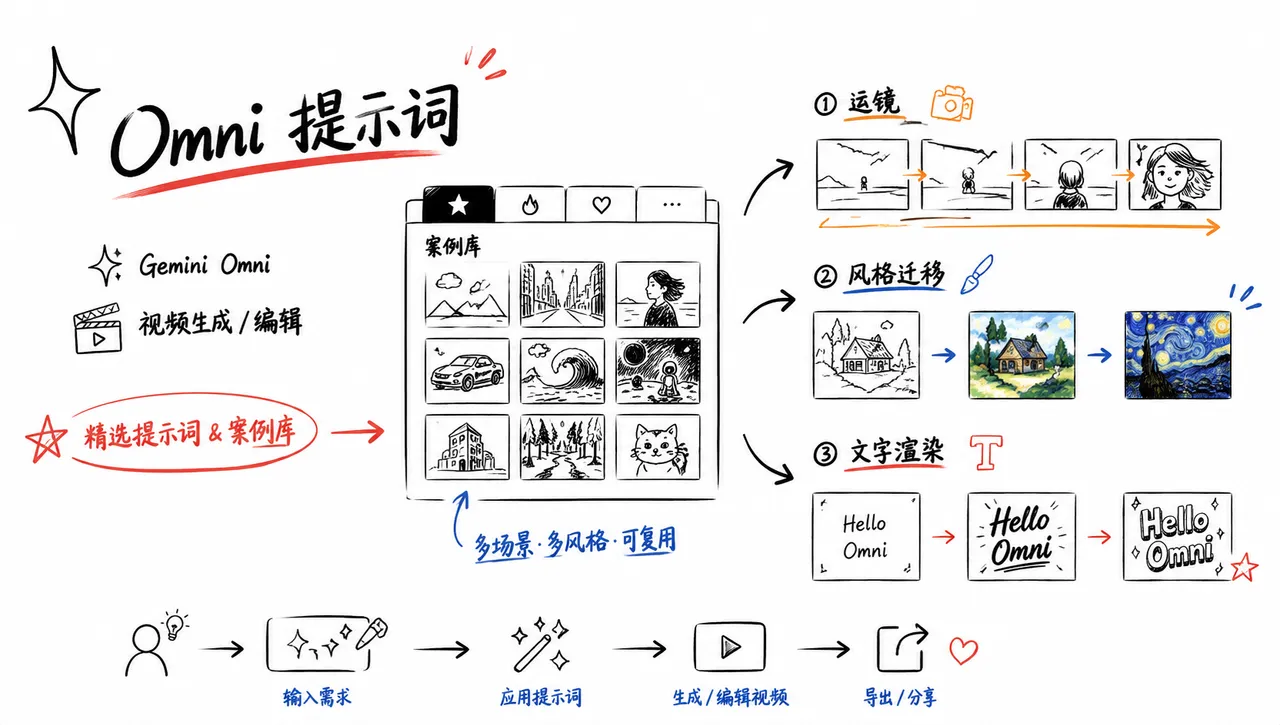
精选 Gemini Omni 视频生成/编辑提示词与案例库,含运镜、风格迁移、文字渲染














EvoLink 快速入门
将 Gemini Omni 的提示模式转化为视频生成任务:
模型页面 · 文档 · API Key · 视频模型 · Media MCP
export EVOLINK_API_KEY="your_key_here"

curl --request POST \
  --url https://api.evolink.ai/v1/videos/generations \
  --header "Authorization: Bearer ${EVOLINK_API_KEY}" \
  --header 'Content-Type: application/json' \
  --data '{
    "model": "gemini-omni",
    "prompt": "A cinematic product transformation shot with precise camera motion, realistic lighting, and clear visual continuity",
    "duration": 5,
    "quality": "720p",
    "aspect_ratio": "16:9"
  }'
🍌 简介
欢迎来到 Gemini Omni API 和 Prompts 仓库!🤗 我们为 Google Gemini Omni 收集了高质量提示和视频示例,涵盖多种创意任务,包括变换、运动、镜头控制、文字序列以及多输入工作流。 本仓库中的大多数案例来自 DeepMind 官方演示、提示指南和社区实验。 在 Evolink 上试用: Gemini Omni 如果您觉得有用,不妨点个星标。 ⭐
[!NOTE] 本仓库专注于针对 Evolink 上 Gemini Omni 视频生成的可复用提示模式和参考案例。
📑 目录
- 🎯 提示要素
- ✂️ 剪辑
- 🎨 高级多模态
- ⚖️ 对比
- 🧪 评估
- 🌐 社区画廊
- 🙏 致谢
🎯 提示要素
Gemini Omni 拥有强大的世界理解能力——它利用真实世界中关于历史、科学和文化的知识。你不必对每个细节过度解释。相反,用自然语言表达你的创作意图,让 Omni 的推理能力来补充其余部分。
从头创建新视频时,可以混合以下维度来控制输出:
| 维度 | 需要指定什么 | 示例 |
|---|---|---|
| 镜头构图与运动 | 广角、中景或特写。摄像机轨迹:平滑滑动、突然推进、静态锁定、推拉变焦等。 | 平稳推进的特写跟拍镜头 |
| 风格 | 整体视觉美术方向 | 复古单色全息图、3D 体素艺术、彩色蜡笔美学 |
| 光照 | 场景氛围与灯光设置 | 温暖香槟色灯光、昏暗的体育馆顶灯 |
| 地点 | 环境与背景 | 小型地下体育馆、未来主义霓虹城市景观 |
| 动作 | 主体的行为与运动 | 这个人触摸镜子、一颗弹珠在连锁反应轨道上快速滚动 |
[!TIP] 迭代编辑: Omni 支持多轮对话编辑。它会保留有效的内容,只修改你要求的部分——无需每次重新描述整个场景,只需说出下一步要改什么。
[!TIP] 保留未改动区域 (作者 @tanabe_fragm): 编辑视频时,在提示词中添加“不要改动任何其他内容”或“保持其他部分不变”这样的短语。这能显著减少对你不打算修改的视频部分产生的不必要改动。
https://github.com/user-attachments/assets/285ee7d8-7dfe-4304-a9a4-648026073b80
✂️ 编辑
🔄 元素替换
案例 1:蝴蝶变蜜蜂 🎬 视频→视频
|
输入: https://github.com/user-attachments/assets/8feb4d7b-825d-4a4a-bd9d-900754cf5d38 |
输出: https://github.com/user-attachments/assets/60f31f6d-895e-4048-b477-9a46a5d20b90 |
提示词:
把蝴蝶变成蜜蜂。案例 2:蜜蜂变萤火虫 🎬 视频→视频
|
输入: https://github.com/user-attachments/assets/60f31f6d-895e-4048-b477-9a46a5d20b90 |
输出: https://github.com/user-attachments/assets/76fc8e97-c7d1-40bc-9e79-bd6705aa8267 |
提示词:
把蜜蜂变成一小群萤火虫。案例 3-5:飞船与宇航员系列 🎬 视频→视频
提示词:
案例 3:把飞船改成用白色折纸做的。案例 4:把宇航员变成海葵。案例 5:把小船变成鳐鱼。案例 6:1896 年列车变形 (作者 @emollick) 🎬 视频→视频
https://github.com/user-attachments/assets/275cc90e-adaa-48ff-9ff8-1e96ea29d44f
提示词:
我拿来 1896 年著名的"火车"影片,把它变成了子弹头列车、乐高,还加了一个时间旅行者、一条蜈蚣、布偶……案例 7:从视频中移除人物 (作者 @arrakis_ai) 🎬 视频→视频
https://github.com/user-attachments/assets/72379fb2-ac30-4d1e-a6b4-143052f8f061
提示词:
完美地从这个视频中移除人物。案例 8:隐形小提琴 🎬 视频→视频
|
输入: https://github.com/user-attachments/assets/88176743-d17e-48fe-89f3-528fe60df7fd |
输出: https://github.com/user-attachments/assets/ac6457aa-158c-4a0b-852f-ce1f3367bc3f |
提示词:
让小提琴隐形案例 9:通过世界知识改变地点 (作者 @venturetwins) 🎬 视频→视频
https://github.com/user-attachments/assets/daa90750-fc7b-49ea-b85d-364411159663
提示词:
根据这张 Google Maps 截图,在 [地点] 重新拍摄这个视频。上传了一段 Waymo 乘车视频,然后要求 Omni 使用 Google Maps 截图在不同地点重新拍摄。该模型利用其世界知识无缝地改变了环境。
案例 10:动画变实拍 (作者 @arrakis_ai) 🎬 视频→视频
https://github.com/user-attachments/assets/3c6be2a9-3e67-4deb-8ccd-fb493b715f65
提示词:
把这个动画变成实拍。🎬 基础场景
案例 1:小提琴手基础镜头 🔤 文字→视频
https://github.com/user-attachments/assets/93de5898-88ee-4bfc-a36f-19d8aa99dfc1
提示词:
一段小提琴手演奏乐曲的视频。📷 镜头方向
案例 1:过肩角度 🎬 视频→视频
|
输入: https://github.com/user-attachments/assets/ac6457aa-158c-4a0b-852f-ce1f3367bc3f |
输出: https://github.com/user-attachments/assets/71aa1c8d-0287-4591-b239-68322919293d |
提示词:
把摄像机角度改为小提琴手的过肩视角。案例 2:镜头从鞋子仰起到中景 🎬 视频→视频
|
输入: https://github.com/user-attachments/assets/19dbc1ae-1e9e-4b7b-9069-e979fffe3651 |
输出: https://github.com/user-attachments/assets/c0ccbda0-4fd0-42be-8620-db7a67a5347d |
提示词:
改变摄像机角度,特写他的鞋子,然后迅速仰拍到中景,再拉宽。案例 3:旅行自拍快节奏延时 (作者 @ZaraIrahh) 🔤 文字→视频
https://github.com/user-attachments/assets/31fa5a56-6113-4376-873b-5e40d26803f1
提示词:
创建一个 10 秒的电影感快节奏延时自拍旅行视频,以上传的女性角色为主角,跨越 2026 年的 20 个世界著名目的地。每 0.5 秒硬切一次,与节拍同步。手持自拍杆摄像机、广角镜头、近距离自拍构图、充满活力的旅行博主风格、鲜艳的电影感色彩、真实的光照、动态运动模糊、自然的人群,每个镜头都有清晰的地标。案例 4:时尚无人机镜头(作者 @ariaxawan)🔤 文字→视频
https://github.com/user-attachments/assets/b199a5ab-e008-4a72-aa03-094bc6d573e6
提示词:
A 10 second ultra cinematic hyper realistic FPV fashion drone shot filmed in a single continuous take inside a futuristic luxury tunnel. Single continuous take, aggressive FPV motion, ultra smooth cinematic flight path, luxury high-fashion editorial atmosphere.案例 5:俯视到 360 度旋转(作者 @npaka123)🖼️ 图片→视频
https://github.com/user-attachments/assets/1ad202cb-a485-4b7a-9c8c-d4fea4a3b6d5
提示词:
この教室の中央から黒板を見ているファーストパーソンなゲーム視点。360度カメラを回転。教室の黒板右側の窓の外は廊下、黒板左側の窓の外は校庭。案例 6:Omnizoom —— 潜入照片(作者 @alexanderchen)🖼️ 图片→视频
https://github.com/user-attachments/assets/9fd3ad2a-6e4a-4ac0-ab29-48f1c303b95f
提示词:
Omnizoom — diving into a photo.🎬 动作与同步
案例 1:动物玩具声音 🎬 视频→视频
https://github.com/user-attachments/assets/fbf377d7-1b39-43af-92e6-665792d05de0
提示词:
When the finger in <video> touches the animal toy play the sound the animal makes案例 2:公寓灯光同步 🎬+🎵 视频+音频→视频
|
输入: https://github.com/user-attachments/assets/6fa879c3-5ee8-4ff1-bbe9-6648d750277d |
输出: https://github.com/user-attachments/assets/3f010e2a-a471-4b0d-8782-c4c5547cd2a5 |
提示词:
The lights of the apartments start turning on in sync with the music.案例 3:弹珠连锁反应 🔤 文字→视频
https://github.com/user-attachments/assets/1ece8df7-f29a-4ebd-ad68-9c910f811590
提示词:
A marble rolling fast on a chain reaction style track, continuous smooth shot案例 4:楼宇灯光 🎬+🎵 视频+音频→视频
|
输入: https://github.com/user-attachments/assets/efbc0d8d-b64a-4ef9-afe6-fed4a8b66102 |
输出: https://github.com/user-attachments/assets/51727436-1fc2-426b-afaa-86bb63cfba0f |
提示词:
The lights of the buildings start turning on in sync with the music.案例 5:拳击实战(作者 @RuzainaMeer)🔤 文字→视频
https://github.com/user-attachments/assets/6796bf78-8bad-441c-889d-30621ee62cd7
提示词:
Ultra-realistic 10-second boxing fight between two women inside a small underground gym. Both fighters look naturally athletic with realistic skin texture, sweat, bruises, and detailed facial expressions. The fight feels raw and authentic, like real professional sparring footage. The camera moves handheld around the ring at close range, capturing fast punches, defensive movement, realistic footwork, and heavy breathing.🎨 高级多模态
🪞 艺术风格
案例 1-3:镜子系列 🎬 视频→视频
提示词:
Case 1: When the person touches the mirror, make the mirror ripple beautifully like liquid, and the person's arm turns into reflective mirror materialCase 2: When the person touches the mirror, the person transforms into a detailed monochrome line art drawingCase 3: When the person touches the mirror, the person suddenly transforms into a cute felted stuffed puppet version with large googley eyes and glasses案例 4:动画广告一镜到底(作者 @DenneyDara)🔤 文字→视频
https://github.com/user-attachments/assets/edacf1c5-94db-4687-8eaa-f87ebf5fabee
提示词:
Make a Pixar-style video of an aloe leaf that is walking through the forest that talks about how good nature makes it feel. Have it say, "Organic and healthy ingredients make me feel so good."案例 5:线条画提取(作者 @alexanderchen)🎬 视频→视频
https://github.com/user-attachments/assets/787813c0-2e20-4999-8383-fd76a9b21f91
提示词:
Extract the key object in this video. Render a video showing that object as a black diagram-style line art drawing on solid 100% white background, nothing else in background. Keep the motion and sound exactly as is.✨ 视觉特效
案例 1:手洞超级变焦 🎬 视频→视频
https://github.com/user-attachments/assets/06683ef4-16e0-47b0-93ec-c6222560ee13
提示词:
Make it look like the weird shape of my hand hole super zooms and magnifies the ground it's looking at in sharper quality.案例 2:滑板运动特效 🎬 视频→视频
https://github.com/user-attachments/assets/44c120a2-38a7-43d7-89fa-a23d0842078c
提示词:
Edit this keeping everything the same. Add animated motion effects coming out of the skateboard.案例 3:AR HUD 叠加(作者 @jerrod_lew)🎬 视频→视频
https://github.com/user-attachments/assets/04b11cd7-d345-4172-b6e5-38301e73bb77
提示词:
Create a virtual HUD and UI overlay for this recorded phone video, like an AR glasses experience with secondary screens.🔗 跨模态
案例 1:迁移至新环境 🎬+🖼️ 视频+图片→视频
|
输入: https://github.com/user-attachments/assets/93de5898-88ee-4bfc-a36f-19d8aa99dfc1 |
输出: https://github.com/user-attachments/assets/88176743-d17e-48fe-89f3-528fe60df7fd |
提示词:
Transport the violinist to the image environment案例 2:鸟类形状配音频 🎬+🖼️+🎵 多模态
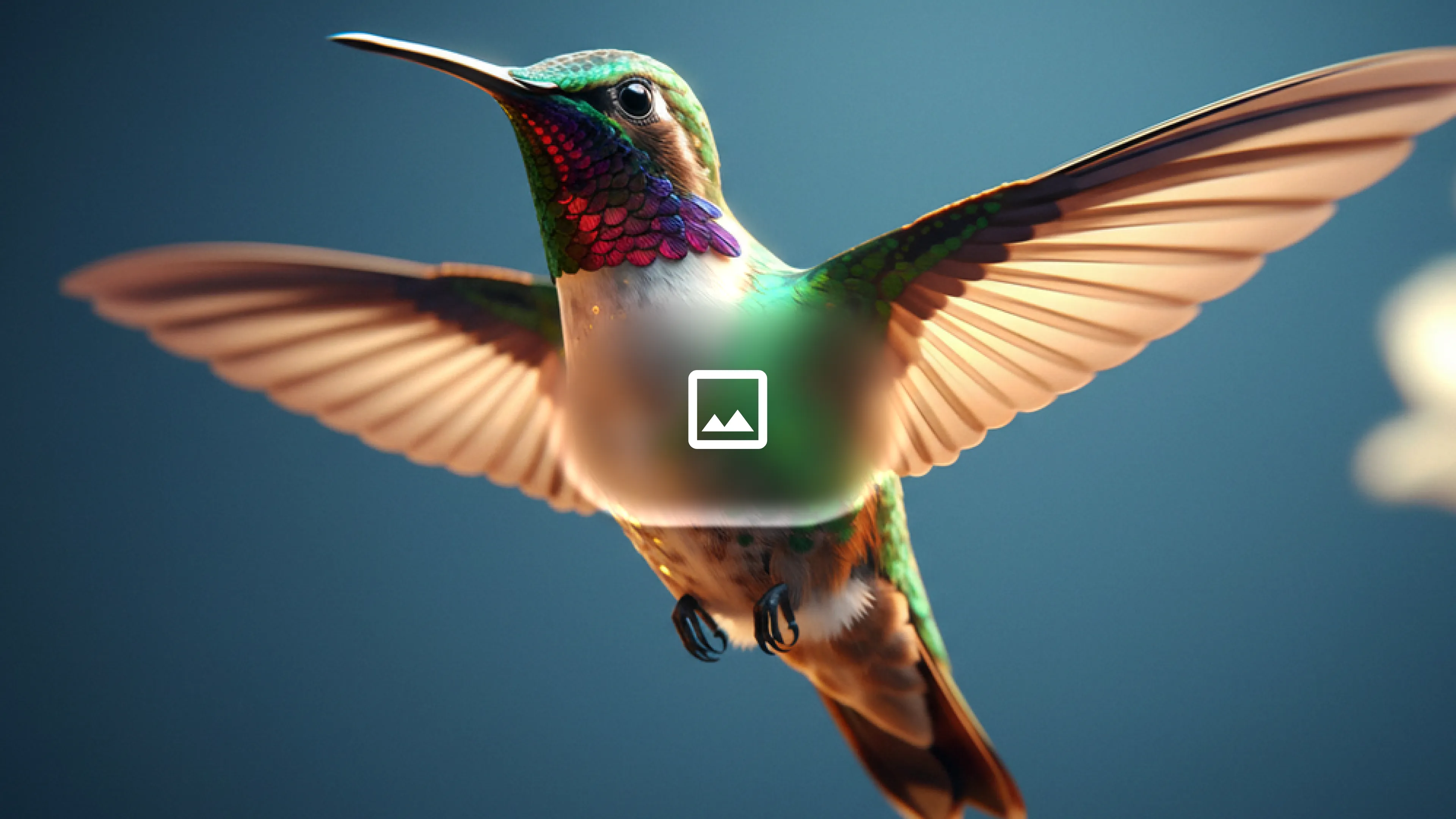
提示词:
The birds from <video> loosely form the imperfect shape of a bird based on <image>. They move to the music from <audio> and dissipate as they fly案例 3:Slide to Motion(作者 @yoshifujidesign)🖼️ 图像→视频
https://github.com/user-attachments/assets/f07a861b-cd0d-4894-8ef1-b74520c7cbd7
提示词:
GPT image2でスライド作成 → Gemini Omniでモーション。画面遷移もさせられるし、イラストの動かし方も自然。案例 4:使用参考图像制作等距烹饪角色(作者 @kumiko_shiraki)🖼️ 图像→视频
https://github.com/user-attachments/assets/d5e9b97e-cefa-4cd8-bf70-4e633020f092
提示词:
缩小参考图像范围并添加负面提示词,以更接近理想输出。
技巧:当生成的视频与预期不符时,(1) 缩小参考图像范围,(2) 添加负面提示词以抑制不需要的元素。
案例 5:ChatGPT 指令图像作为输入(作者 @Majin_AppSheet)🖼️ 图像→视频
|
输入(来自 ChatGPT 的指令图像): 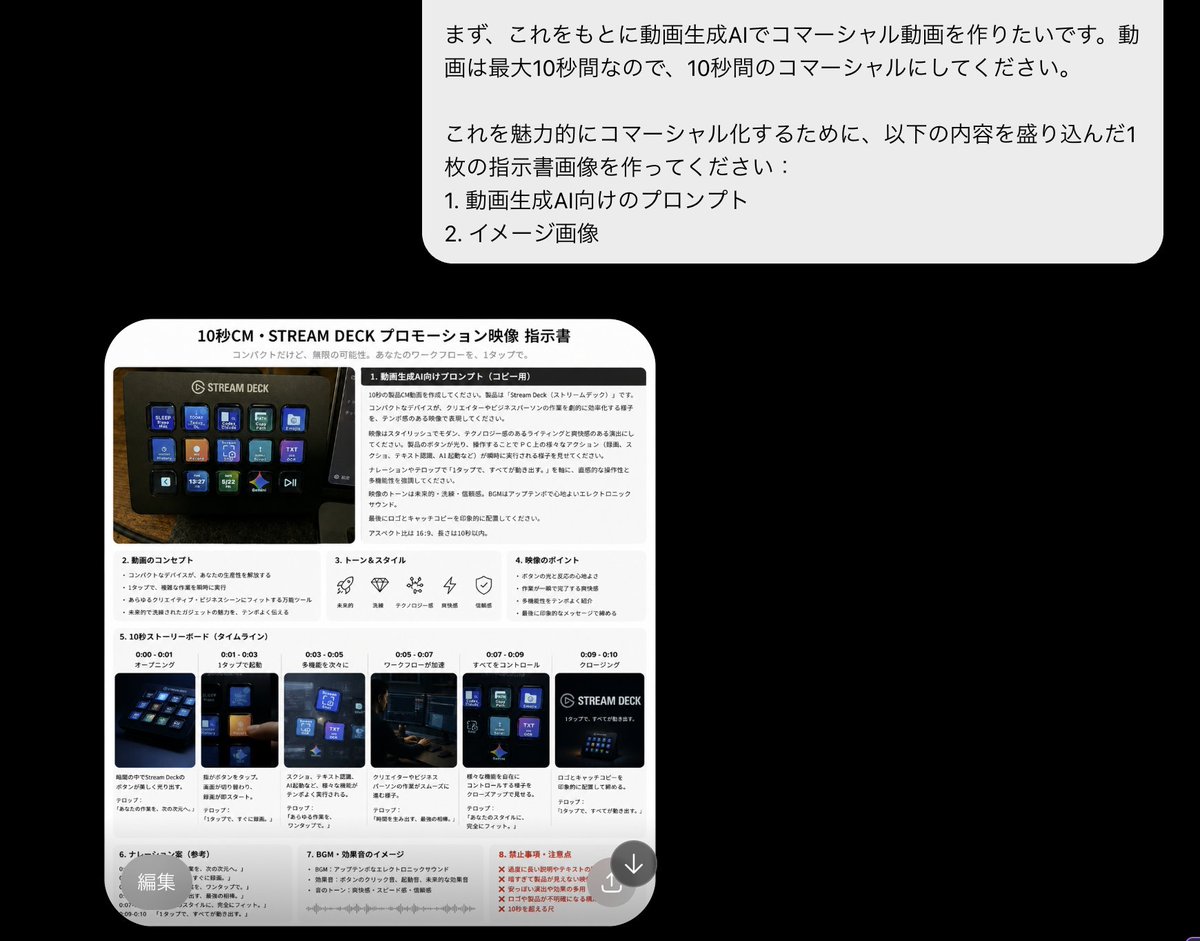
|
输出: https://github.com/user-attachments/assets/578d6968-c6dd-417a-b6fe-100468851f3d |
工作流程:在 ChatGPT 中生成指令/分镜图像,然后直接将其作为视觉提示输入 Gemini Omni。
案例 6:ChatGPT 插画到 Omni 动画(作者 @mmmiyama_D)🖼️ 图像→视频
工作流程:使用 ChatGPT 图像生成功能生成插画图表 → 用 Gemini Omni 制作动画。通过添加特定提示词抑制文字失真,可改善文字渲染效果。
📋 分镜
案例 1:奢华化妆品广告(作者 @aiwithaly)🔤 文字→视频
https://github.com/user-attachments/assets/6d003859-eb77-4466-9f70-5a76a2269667
提示词:
Create a cinematic 10-second ultra-realistic luxury cosmetic commercial in a high-end skincare advertisement style. Use warm champagne lighting, glossy beauty-film aesthetic, shallow depth of field, macro beauty cinematography, smooth cinematic camera movement. 10 scenes from macro serum droplets to final payoff shot.案例 2:在这个故事中展示我 🖼️ 图像→视频
|
输入: 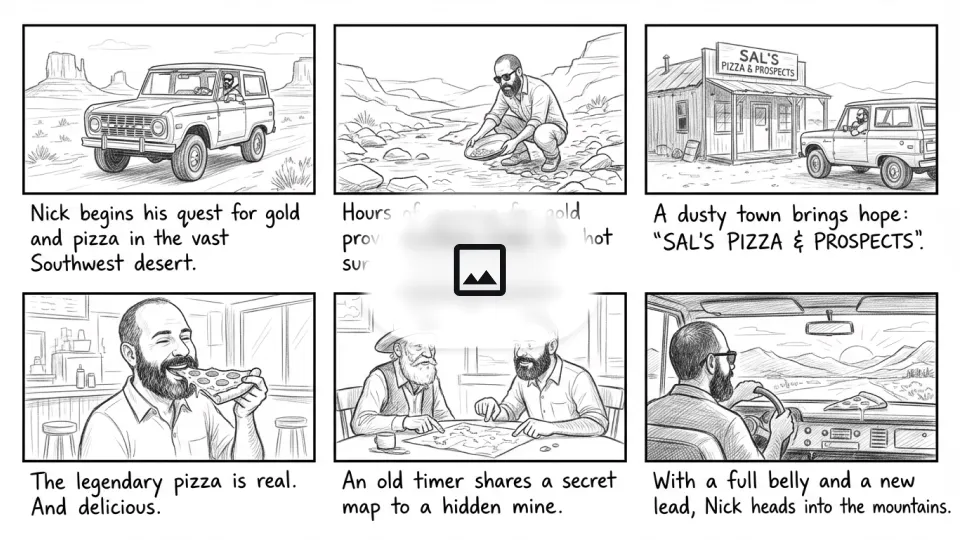
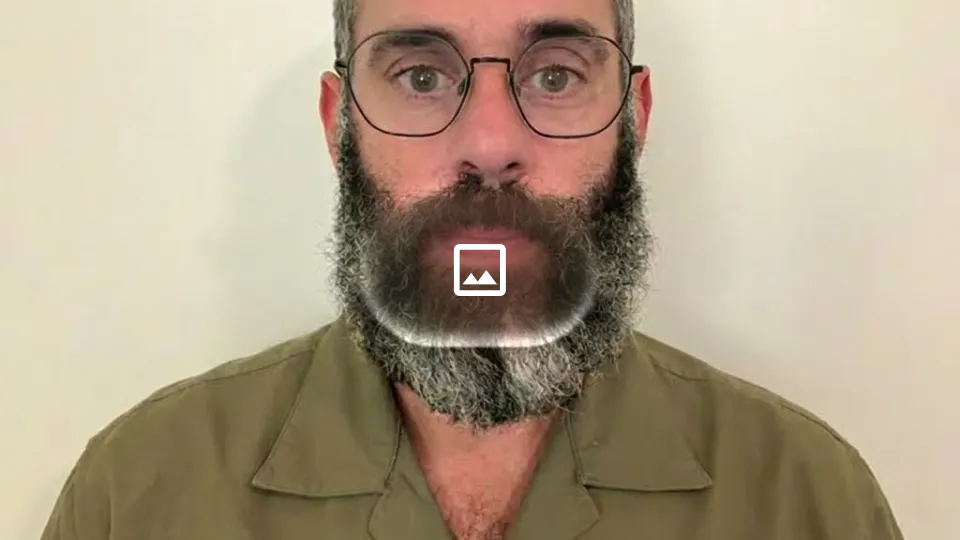
|
输出: https://github.com/user-attachments/assets/8429423d-9b72-4cb6-9e8c-985818f160a7 |
提示词:
在这个故事中展示我。严格按照左上角开始的顺序讲述整个故事。整个故事在 10 秒内完成。电影感。
案例 3:3x3 分屏(作者 @alexanderchen)🎬 视频→视频
https://github.com/user-attachments/assets/587fc95e-526f-4d8d-94c8-feefe34edba9
提示词:
Generate a 3x3 split screen video based on different details you see here. Make each cell different, varying the perspective, composition, zoom, angle, camera movement (some static, some moving). Make some of the cells extreme close-ups with detailed textures. Keep it photorealistic, handheld, raw. Only natural sounds.案例 4:不同角度的动作回放(作者 @jerrod_lew)🎬 视频→视频
https://github.com/user-attachments/assets/a1179492-74bd-488c-b594-6bc023269c10
提示词:
Gemini Omni 可以从不同角度创建动作回放。我引用了一段视频片段并附上代理指令来生成回放。
案例 5:分屏视频(作者 @jerrod_lew)🎬 视频→视频
https://github.com/user-attachments/assets/8755d95d-a9b2-4f7c-a56d-bfbbcc47f80e
提示词:
使用参考视频,并让代理生成分屏视频。
🔤 文字渲染
案例 1:字母物品序列 🔤 文字→视频
https://github.com/user-attachments/assets/f7693ec2-ac70-4ac8-813f-8fcb46d90d3d
提示词:
The video shows items of the alphabet. An unusual item starting with each letter is shown sitting on a table. All 26 letters must be represented by 26 items with matching lower thirds displaying the letter. Only one item and lower third at a time. Rapid fire, roughly 9 frames per item at 24FPS. Last frame is a slip of paper "THE END".案例 2:逐词文字同步 🔤 文字→视频
https://github.com/user-attachments/assets/03620abc-bcb2-4011-a52b-ce13409853c4
提示词:
word by word, one word on the screen at a time: did, you, know, that, this, model, can, do, pretty, good, text!? each word appears with a different animated style, perfect pacing to a rhythm, sizzle reel.案例 3:文字渲染 AI 新闻(作者 @chrisfirst)🔤 文字→视频
https://github.com/user-attachments/assets/e7d23502-1ca0-4f47-be76-47ff05390508
提示词:
Static shot we see them turn the page 3 times. Every flip we see content on both left and right side of book pages. Each contains a big news story around AI for the year of 2025. Include images and crystal clear text.案例 4:字体时装秀(作者 @HBCoop_)🔤 文字→视频
https://github.com/user-attachments/assets/395d767c-7d8e-4367-941b-0190da9a0284
提示词:
Create a 10-second avant-garde fashion editorial where every outfit is inspired by a specific Google Font personality. Each second introduces a new model styled around fonts like Playfair Display, Bebas Neue, Orbitron, Pacifico, Rubik Mono One, and Cormorant Garamond. Font names appear integrated into the environment using their exact typography style. High-fashion runway cinematography with bold lighting, mirrored sets, and surreal motion.⚖️ 对比
案例 1:Seedance 2.0 vs Gemini Omni Flash(作者 @JSFILMZ0412)⚖️ Comparison
https://github.com/user-attachments/assets/a03e70b5-99c0-4ad8-b26b-9aed6e037f02
Seedance 2.0 Fast 与 Gemini Omni Flash 的风格迁移、运动质量及审查机制对比。
案例 2:Gemini Omni 与 Seedance 2.0 动作场景对比(作者 @CuriousRefuge)⚖️ Comparison
https://github.com/user-attachments/assets/33e09b7d-2357-481d-8536-dab39e75524b
Gemini Omni 视频编辑模型与 Seedance 2.0 的大规模动作场景对比。
🧪 评测
案例 1:Gemini Omni 质量评估(作者 @kenichiota0711)🧪 Evaluation
https://github.com/user-attachments/assets/a9adf476-fac9-4ea2-b5ea-90a50192ccfb
输出近乎理想,令人感动。微微摇曳的花朵和头发、眨眼的表现、在笔记本上书写的动作流畅自然。
🌐 社区画廊
来自社区的创意实验与展示。这些案例展现了 Gemini Omni 的广泛可能性。
🙏 致谢
此仓库受优秀开源提示集合及社区分享的案例启发。
感谢 Google DeepMind 发布官方 Gemini Omni 演示和提示指南,使这些案例研究成为可能。
社区贡献者:
@emollick, @jerrod_lew, @arrakis_ai, @npaka123, @yoshifujidesign, @chrisfirst, @DenneyDara, @ZaraIrahh, @alexanderchen, @ariaxawan, @RuzainaMeer, @aiwithaly, @HBCoop_, @JSFILMZ0412, @CuriousRefuge, @kenichiota0711, @tanabe_fragm, @venturetwins, @kumiko_shiraki, @Majin_AppSheet, @mmmiyama_D, @VORTEX_Promos, @paji_a, @WolfRiccardo, @Dheepanratnam, @iHarnoorSingh, @Strength04_X
如有需要更正之处,请联系我们,我们将进行更新。
如果您有更多有趣的提示案例想分享,欢迎联系我们,帮助扩展 Evolink 提示库。